AWS Spot Instances let you cut cloud compute costs by up to 90% compared to On‑Demand pricing—if your workloads are built to handle interruptions and flexibility. This guide walks you through exactly how to unlock those savings.
What are AWS Spot Instances?
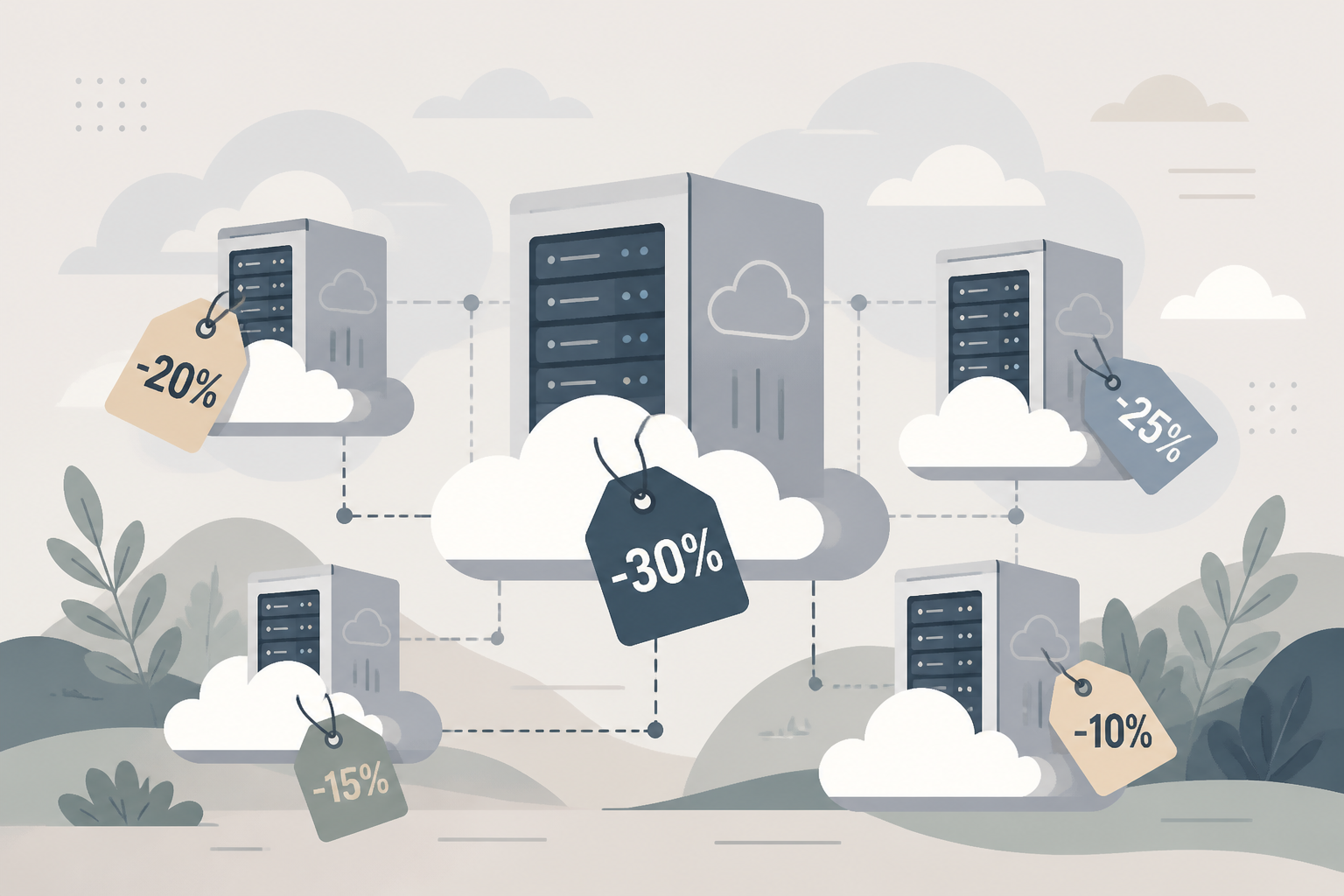
AWS Spot Instances are spare EC2 compute capacity offered at steep discounts—up to 90% off On‑Demand rates—without long‑term commitments. The trade‑off is that AWS can reclaim them with a two‑minute notification when needed ([docs.aws.amazon.com](https://docs.aws.amazon.com/AWSEC2/latest/UserGuide/spot-best-practices.html)).
Why use Spot Instances?
Spot Instances are ideal for fault‑tolerant, stateless, flexible workloads like batch jobs, CI/CD pipelines, big data, containerized services, and HPC ([docs.aws.amazon.com](https://docs.aws.amazon.com/AWSEC2/latest/UserGuide/spot-best-practices.html?utm_source=openai)). They unlock dramatic budget gains for compute‑intensive tasks.
How much can you save with Spot Instances?
You can save up to 90% compared to On‑Demand. In practice, organizations report consistent savings between 70% and 90% for well‑architected workloads ([aws.amazon.com](https://aws.amazon.com/ec2/spot/getting-started/?utm_source=openai)). AWS Well‑Architected also shows interruption rates under 5% on average, so the cost risk is manageable ([docs.aws.amazon.com](https://docs.aws.amazon.com/wellarchitected/latest/cost-optimization-pillar/select-the-best-pricing-model.html?utm_source=openai)).
How do you architect your environment to use Spot Instances effectively?
1. Design for interruptions
Spot Instances can be interrupted by AWS with two minutes’ notice. Use interruption notices and rebalance notifications to capture state or shift workloads gracefully. Integrate with EventBridge, checkpoints, or automate hibernation where feasible ([docs.aws.amazon.com](https://docs.aws.amazon.com/AWSEC2/latest/UserGuide/spot-best-practices.html?utm_source=openai)).
2. Diversify instance types, generations, zones
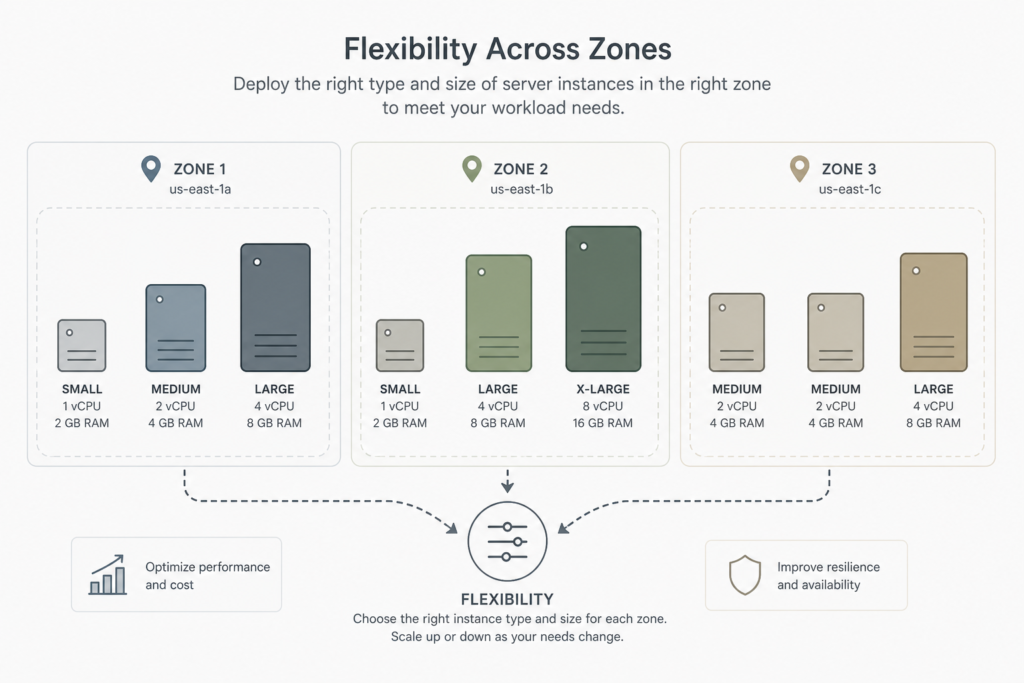
Because AWS reclaims capacity based on supply and demand in specific pools (instance type + AZ), your chance of sustained capacity increases with flexibility. Use multiple generations and sizes—ideally at least 10 instance types per workload—and span Availability Zones ([docs.aws.amazon.com](https://docs.aws.amazon.com/AWSEC2/latest/UserGuide/spot-best-practices.html?utm_source=openai)).
3. Use attribute‑based instance type selection
Instead of listing instance types manually, specify desired attributes like vCPU, memory, storage. AWS Auto Scaling or EC2 Fleet then picks matching Spot types—including new ones—on your behalf ([docs.aws.amazon.com](https://docs.aws.amazon.com/AWSEC2/latest/UserGuide/spot-best-practices.html?utm_source=openai)).
4. Check Spot placement scores
Spot placement scores provide a real‑time likelihood (1–10) of fulfilling your Spot capacity needs in a given AZ or region. Use them when selecting where to deploy workloads ([docs.aws.amazon.com](https://docs.aws.amazon.com/AWSEC2/latest/UserGuide/spot-best-practices.html?utm_source=openai)).
5. Use Auto Scaling groups or EC2 Fleet
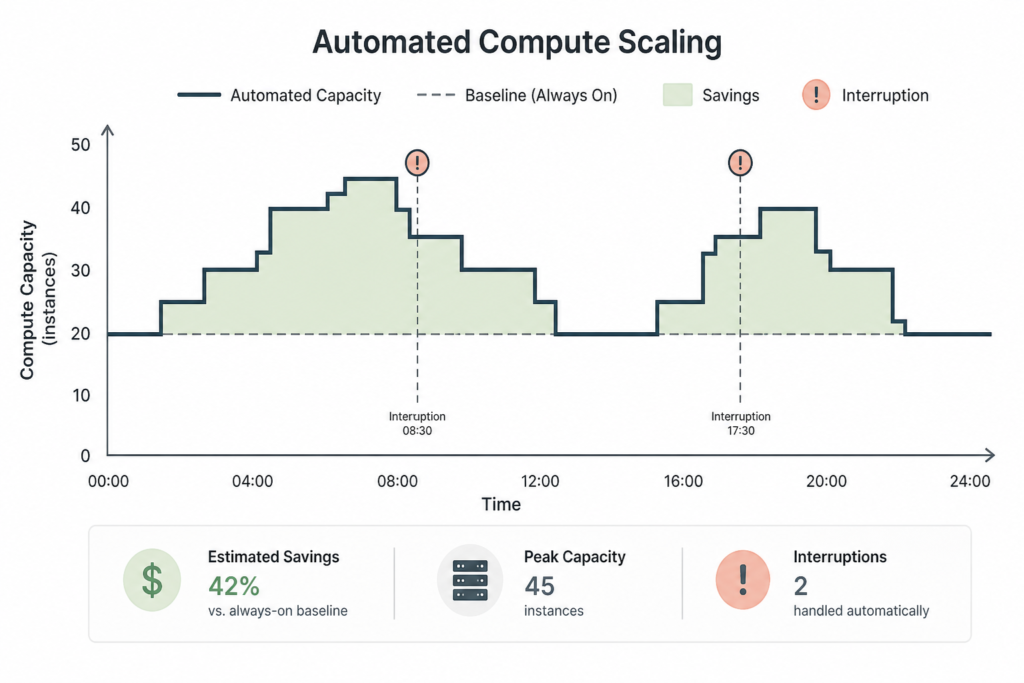
These let you request aggregate capacity (vCPU/memory) and shift internal requests across types and zones automatically. They handle instance interruption by replacing capacity without manual intervention ([docs.aws.amazon.com](https://docs.aws.amazon.com/AWSEC2/latest/UserGuide/spot-best-practices.html?utm_source=openai)).
6. Choose the right allocation strategy
The recommended strategy is price‑capacity‑optimized: it picks Spot capacity pools with both the lowest price and sufficient capacity, reducing interruption risk while maximizing savings ([docs.aws.amazon.com](https://docs.aws.amazon.com/AWSEC2/latest/UserGuide/spot-best-practices.html?utm_source=openai)).
7. Use integrated AWS services
Many AWS services—EMR, ECS, EKS, Batch, SageMaker—natively support Spot to reduce compute cost, often with built‑in handling for interruptions ([docs.aws.amazon.com](https://docs.aws.amazon.com/AWSEC2/latest/UserGuide/spot-best-practices.html?utm_source=openai)).
How to get started: step‑by‑step guide
- Identify suitable workloads—stateless, batch, containerized, or fault‑tolerant.
- Start small: launch a flexible Spot fleet or Auto Scaling group using attribute‑based selection and
price‑capacity‑optimizedstrategy. - Monitor interruption events—use metrics and AWS FIS to simulate Spot failures and validate resilience ([aws.amazon.com](https://aws.amazon.com/blogs/compute/best-practices-to-optimize-your-amazon-ec2-spot-instances-usage/?utm_source=openai)).
- Gradually expand pool diversity—add generations, sizes, zones for better resilience.
- Combine with On‑Demand or Reserved Instances for critical baseline capacity, with Spot covering the variable part ([docs.aws.amazon.com](https://docs.aws.amazon.com/wellarchitected/2023-10-03/framework/cost_pricing_model_implement_models.html?utm_source=openai)).
Example savings scenario
A startup used 2,670 vCPU‑hours on Spot vs. On‑Demand cost of ~$152 but paid ~$49 on Spot—achieving ~68% savings. Spot placement, fleet strength (209 instance types, 6 AZs), and attribute‑based matching were key ([pages.awscloud.com](https://pages.awscloud.com/rs/112-TZM-766/images/Tools-to-Manage-Monitor-and-Optimize-AWS-EC2-Spend.pdf?utm_source=openai)).
Comparison of strategies
| Approach | Pros | Cons |
|---|---|---|
| On‑Demand Only | Stable, no interruptions | High cost, no savings |
| Spot-only | Lowest cost, high throughput | Interrupted, needs fault tolerance |
| Hybrid (On‑Demand + Spot) | Balance cost and availability | More complex setup |
How does this fit into AWS cost optimization?
Spot Instances are one pricing model in your cost strategy. Use Reserved Instances or Savings Plans for baseline, persistent workloads and Spot for variable or interruptible workloads. This layered approach maximizes overall savings while keeping availability for critical workloads ([docs.aws.amazon.com](https://docs.aws.amazon.com/wellarchitected/2023-10-03/framework/cost_pricing_model_implement_models.html?utm_source=openai)).