
Last updated: September 13, 2026
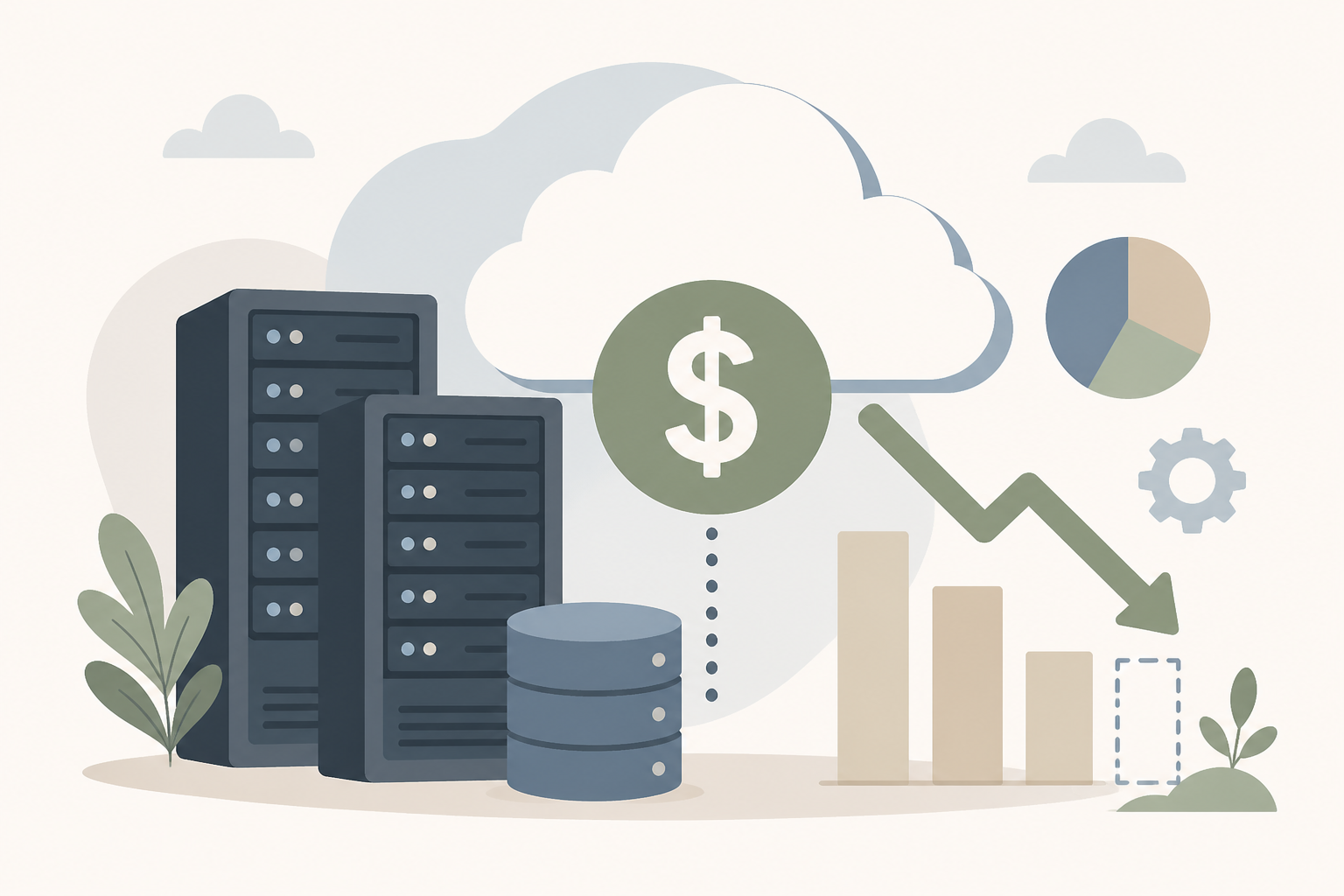
This guide shows you exactly how to reduce Amazon RDS costs—step by step—with hands-on examples, tools, and workflows. Skip the fluff and start saving.
What is RDS cost optimization?
RDS cost optimization is the process of reducing unnecessary Amazon RDS spend by matching resource usage with demand, leveraging pricing models, eliminating idle setups, and automating governance.
Why should you optimize RDS costs?
- You can save 30–70% on your RDS bill by rightsizing, stopping idle instances, and using Reserved Instances (RIs) or Savings Plans—without sacrificing performance.
- Unmanaged non-production or read‑replica instances can quietly inflate cost if not monitored.
- Automation and tooling let you scale savings over time with minimal manual effort.
What areas should you target when reducing RDS cost?
Effective RDS cost optimization involves these core pillars:
- Rightsizing compute and storage
- Leveraging RIs and Savings Plans
- Identifying and stopping idle or unused instances
- Optimizing backups, retention periods, and storage types
- Using AWS-native tools for continuous optimization
How do you right‑size RDS instances?
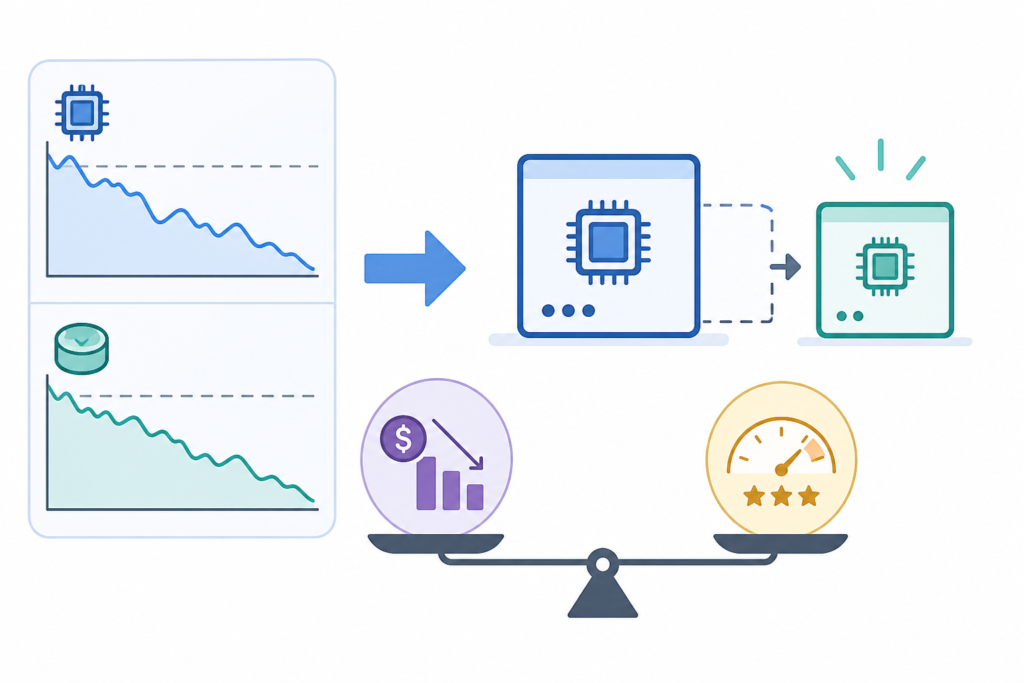
Rightsizing means aligning instance size with actual usage. Monitor CPU, I/O throughput, and connections via CloudWatch. For example:
- CPU <30% and I/O <30% consistently? It’s overprovisioned. In non‑prod, you can be more aggressive (50%).
- AWS Compute Optimizer shows instance recommendations and estimated monthly savings based on your usage and pricing options, including Graviton alternatives. ([aws.amazon.com](https://aws.amazon.com/blogs/database/how-to-optimize-amazon-rds-and-amazon-aurora-database-costs-performance-with-aws-compute-optimizer/))
Example: Downsizing from db.r5.large to db.r5.medium can save ~50% on compute, though storage remains constant. (Use AWS Pricing Calculator or your RI amortization schedule to refine.)
When should you stop or delete idle RDS instances?
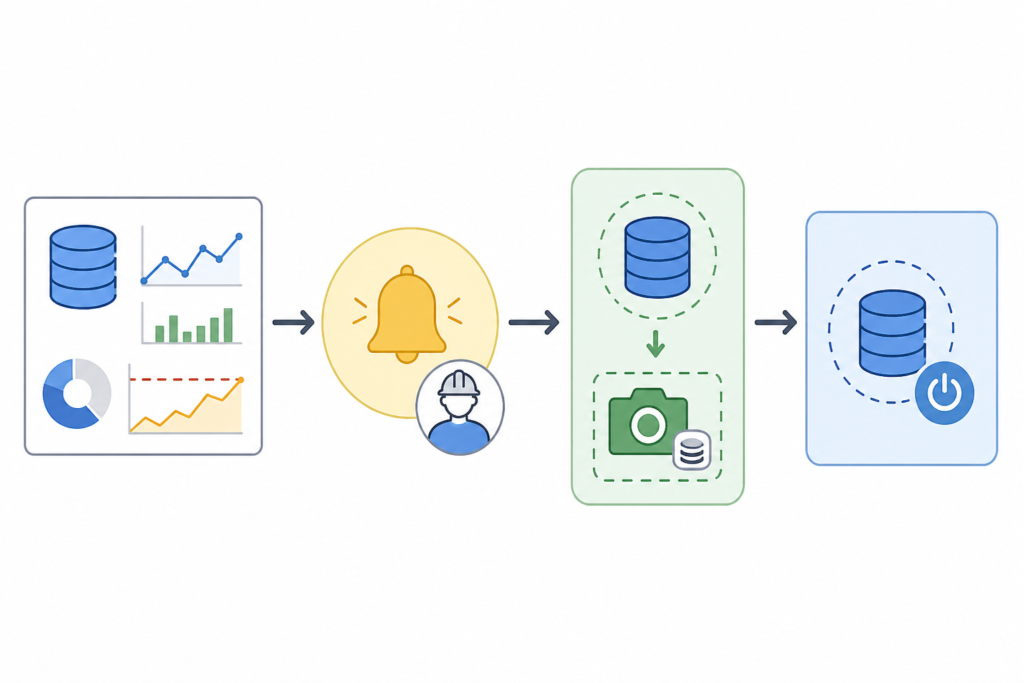
Unused instances still incur costs. Identify them using criteria like:
- No connections for 30 days
- Consistently <5% CPU and I/O
Options:
- Snapshot, then stop (halts compute charges, storage continues). ([docs.aws.amazon.com](https://docs.aws.amazon.com/awssupport/latest/user/cost-optimization-checks.html))
- Snapshot and delete if retention isn’t needed.
Implement owner notification workflows with deadlines and escalations to ensure cleanup.
How do Reserved Instances and Savings Plans reduce RDS cost?
Reserved Instances (RIs) let you commit to a capacity and save up to ~72% over on‑demand rates. Savings Plans operate similarly but more flexibly. Use Cost Explorer to get RDS‑specific RI/SP recommendations. ([docs.aws.amazon.com](https://docs.aws.amazon.com/whitepapers/latest/how-aws-pricing-works/aws-cost-optimization.html))
Audit usage patterns first to match the right term (1‑yr vs 3‑yr, upfront options).
Which AWS tools help streamline RDS optimization?
Here’s how AWS tooling supports RDS cost savings:
| Tool | Function |
|---|---|
| AWS Trusted Advisor | Highlights idle instances, idle connections, suboptimal configurations. ([aws.amazon.com](https://aws.amazon.com/blogs/database/aws-tools-to-optimize-your-amazon-rds-costs/)) |
| AWS Compute Optimizer | Rightsizing recommendations, storage and Graviton alternatives, savings estimates. ([aws.amazon.com](https://aws.amazon.com/blogs/database/how-to-optimize-amazon-rds-and-amazon-aurora-database-costs-performance-with-aws-compute-optimizer/)) |
| AWS Cost Optimization Hub | Centralizes all cost‑optimization recommendations across accounts and services. ([aws.amazon.com.cdn.amazon.com](https://aws.amazon.com.cdn.amazon.com/aws-cost-management/cost-optimization-hub/)) |
Configure automated workflows: daily checks, Slack/email alerts for optimization opportunities, snapshot-before-delete policies, sprint reviews, etc.
What about backups and storage settings?
Highlights:
- Automatic backups obey retention; clean up manual snapshots that never expire. ([aws.amazon.com](https://aws.amazon.com/blogs/database/optimizing-costs-in-amazon-rds/))
- Evaluate storage type: GP2/Gp3 vs Provisioned IOPS. If IOPS usage is low, downsizing storage tier avoids provisioning unused IOPS. ([docs.aws.amazon.com](https://docs.aws.amazon.com/AmazonRDS/latest/UserGuide/CHAP_BestPractices.html))
As workloads grow, chunk-size storage growth, or use partitioning/archiving (especially for Aurora). ([aws.amazon.com](https://aws.amazon.com/blogs/database/optimize-costs-in-amazon-aurora))
How to build this into your operations?
Follow this repeatable process:
- Baseline current costs—compute, storage, I/O.
- Run tools (Compute Optimizer, Trusted Advisor, Cost Hub) and layer in tagging—owner, environment, application. ([aws.amazon.com](https://aws.amazon.com/blogs/database/optimizing-costs-in-amazon-rds/))
- Apply quick wins: rightsizing, stopping idle instances, deleting old snapshots, applying RI/SP.
- Automate governance: weekly dashboards, alerts, owner escalation workflows.
- Review monthly. Look for new patterns, seasonal demands, architecture changes.
- For long‑term maturity, build a Center of Excellence to share cost‑savvy practices across teams. ([aws.amazon.com](https://aws.amazon.com/blogs/database/optimize-costs-in-amazon-aurora))
Example workflow:
- Monday: Compute Optimizer recommends downsizing db.m6g.large → db.m6g.medium. Estimated savings: ~$200/mo.
- Wednesday: Trusted Advisor finds idle non‑prod instance — stops it, snapshot saved.
- Friday: Cost Explorer suggests 1‑yr all‑upfront RI for production writer node—45% Save.
What are the risks and how do you avoid them?
- Incorrect sizing can starve performance—always baseline and test before changes.
- Stopping instances affects availability—schedule during maintenance windows and notify stakeholders.
- Snapshots before deletion and pre‑testing resized instances ensures rollback options.
How does this guide fit into your broader AWS cost strategy?
This MoFu-level guide builds on foundational AWS cost topics like general cost optimization principles. Tie into your broader strategy via AWS cost optimization hub page. Also, later you can write service‑specific sibling guides, like for EC2, EBS, or Aurora.
Inline Illustration 1: Visual workflow of identifying idle RDS → alerting owner → snapshot → stop/delete.
Inline Illustration 2: Rightsizing flow: CloudWatch metrics → Compute Optimizer recommendations → cost vs performance comparison.
Frequently Asked Questions
Below are the most searched “People Also Ask” questions on the topic with concise answers.
What is RDS cost optimization? RDS cost optimization means matching Amazon RDS resource provisioning and usage—compute, storage, backups—to actual workload demand to avoid over‑spending.
How much can you save by rightsizing RDS? Rightsizing and using RIs/Savings Plans can yield 30–70% savings. Exact benefits depend on workloads and pricing commitments.
Should you stop idle RDS instances? Yes—if an instance has no usage for a month and consistent low metrics, stop or delete after snapshot to cut compute charges.
When do Reserved Instances make sense? When you have steady-state workloads (like production DBs) that run 24/7. Cost Explorer can recommend optimal terms with up to ~72% savings over on-demand. ([docs.aws.amazon.com](https://docs.aws.amazon.com/whitepapers/latest/how-aws-pricing-works/aws-cost-optimization.html))
Can I automate RDS cost optimization? Yes—by combining Compute Optimizer, Trusted Advisor, Cost Optimization Hub, tagging, alerts and workflows you can scale governance and savings.
Note: Time‑sensitive savings estimates (e.g. dollar savings, instance types pricing) should be validated using your AWS Cost Explorer and RI/SP dashboards—update estimates before publishing.
About the Author
Nhon Dang is a cloud infrastructure and operations professional with over 10 years of hands-on experience in cloud services, infrastructure, and business operations, covering VMs, Kubernetes, S3, managed databases, Kafka, and cloud GPU environments. He writes practical, experience-driven guidance aimed at helping teams build cost-efficient and reliable cloud systems.
