
Updated November 2026.
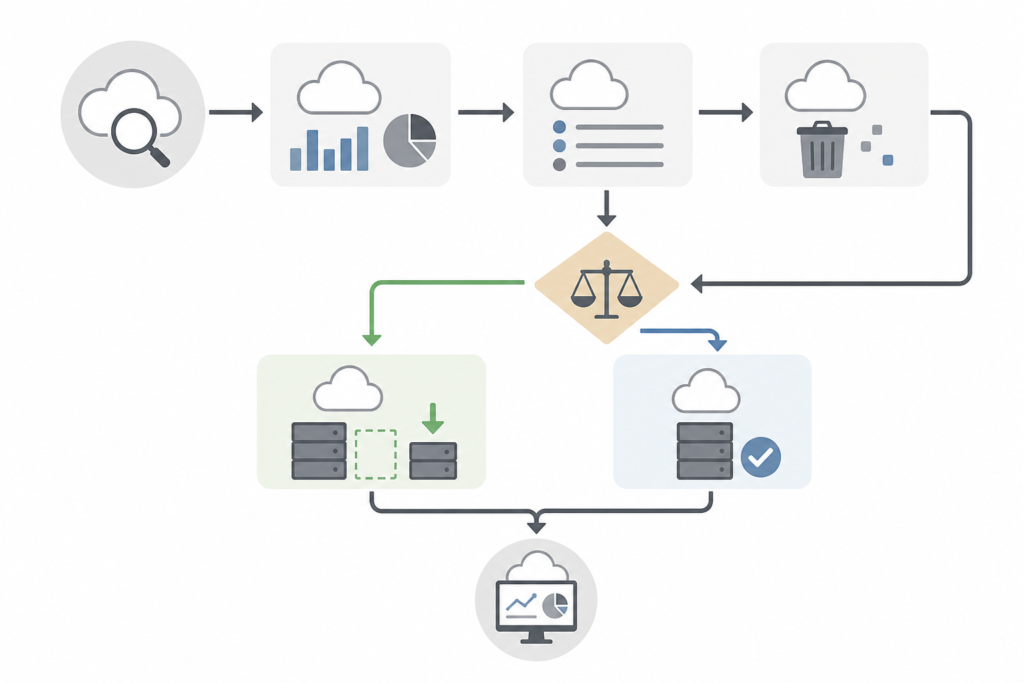
To reduce your Azure bill, work in this order: delete what nobody uses, rightsize what remains, apply commitment discounts to the stable base, and automate rules so waste does not return. The order matters. Buy discounts before cleanup and you lock in waste for one to three years.
1. Remove idle and orphaned resources
Start with things that are provably unused. Stopped VMs that still hold disks, unattached managed disks, old snapshots, unused public IP addresses, idle load balancers and gateways, and backups for workloads that no longer exist.
Azure Advisor flags many of these for free, and Azure Resource Graph can list disks or IPs with no attachment across all subscriptions. Tag owners first, then ask owners to confirm before deleting. A cleanup pass often turns up a meaningful share of spend, though the amount varies a lot by company.
2. Rightsize
Use Advisor’s low-utilization findings as a starting list, then check peak usage and memory before you shrink anything. Use cheaper tiers for dev and test: burstable VM series, standard disks, and auto-shutdown schedules for nights and weekends. Review managed databases separately, since they are often oversized by habit.
3. Commit to what is stable
| Option | Commitment | Best for |
|---|---|---|
| Pay-as-you-go | None | Unpredictable or short-lived work |
| Reservation | 1 or 3 years, specific resource | Steady workloads |
| Savings plan for compute | 1 or 3 years, hourly dollar amount | Mixed or changing compute |
Microsoft states discounts of up to about 65% for savings plans and up to about 72% for reservations against pay-as-you-go, under best-case terms. Treat those as ceilings. Read Azure Reservations before buying.
If you own eligible Windows Server or SQL Server licenses, Azure Hybrid Benefit cuts license charges and stacks with other discounts. Verify eligibility in the Azure docs.
4. Automate governance
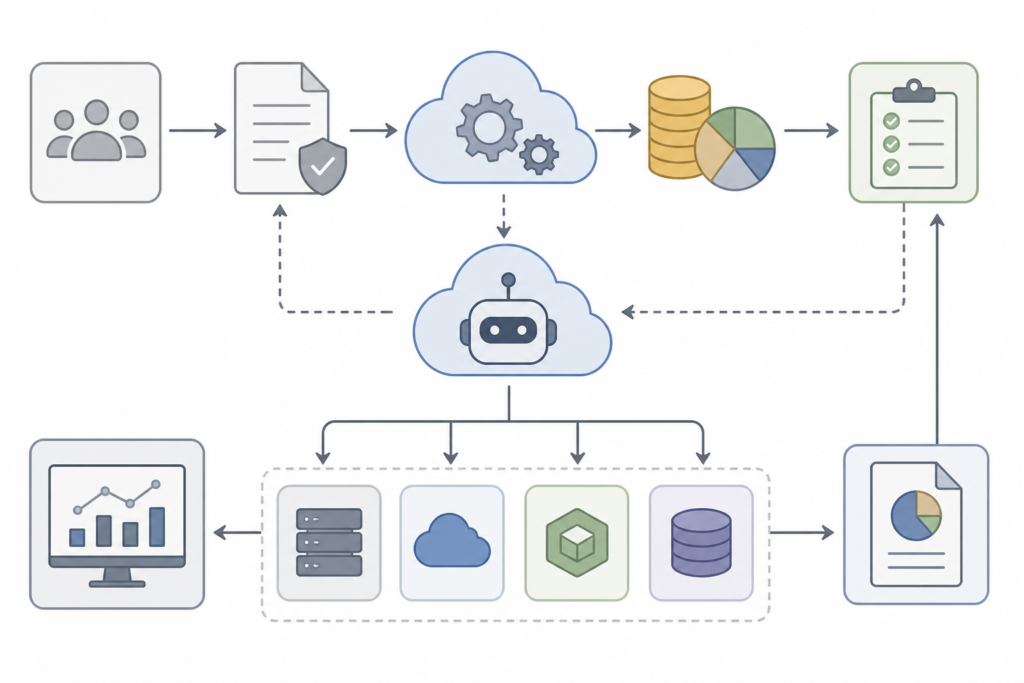
Add Azure Policy rules that require tags, restrict expensive SKUs in non-production, and flag untagged resources. Set budgets and alerts per subscription. Schedule a script that reports orphaned resources weekly. See cloud cost governance and Azure Cost Management.
5. Keep it from creeping back
Review spend monthly by team. Track allocation, utilization and waste on a short KPI scorecard. Compare the pattern with the AWS equivalent if you run both clouds.
Questions people ask
What is the quickest win?
Delete unattached disks and deallocate idle VMs. It carries almost no risk.
Should I buy reservations first?
No. Clean up and rightsize first.
Pingback: Azure Hybrid Benefit: Eligibility, Savings and How to Apply