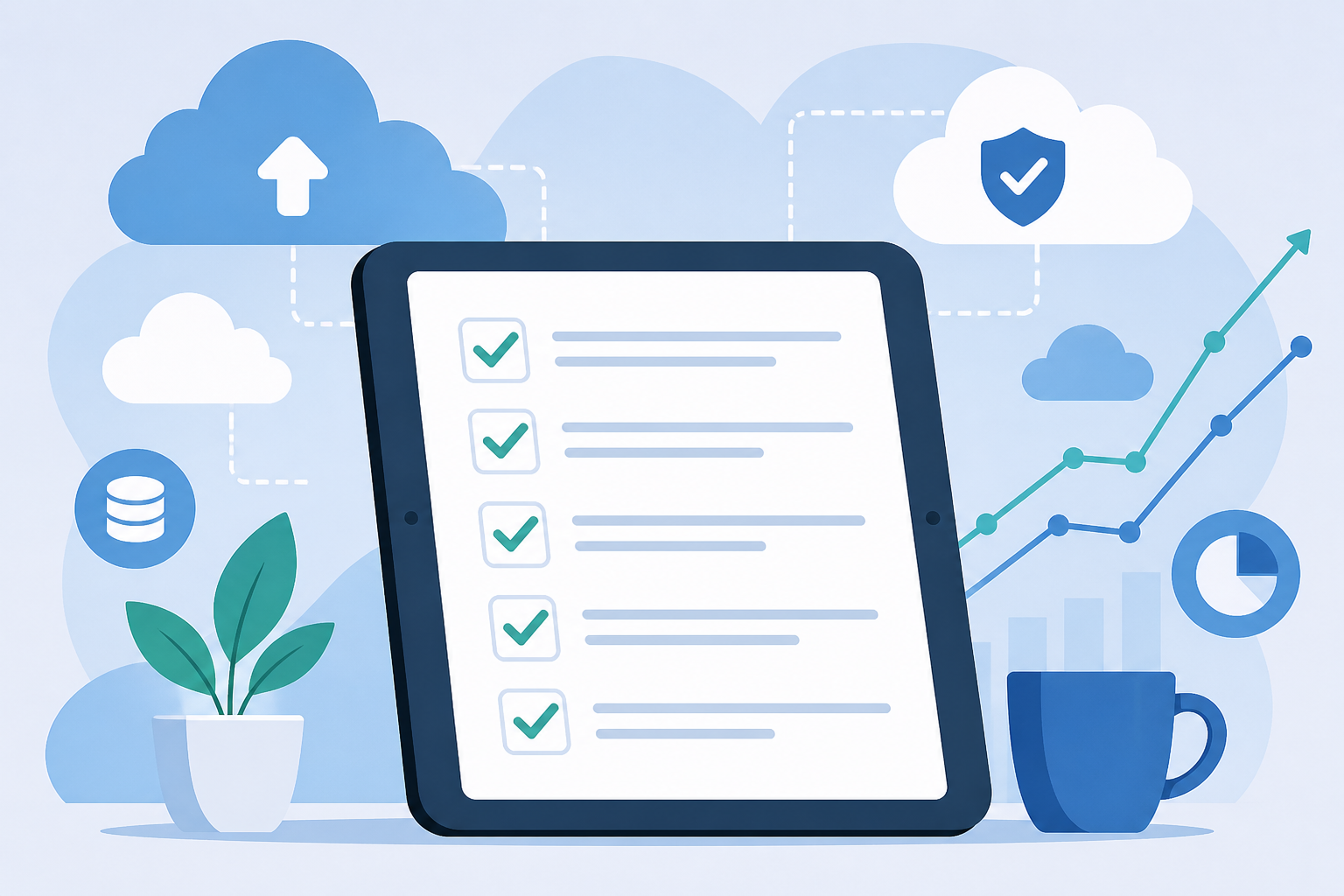
Download the checklist now – this guide gives you the full, actionable, cloud cost optimization checklist in a structured format that delivers immediate savings across compute, storage, networking, commitments, and governance.
Last updated: September 2, 2026
Why use a cloud cost optimization checklist?
Companies typically waste between 20–50% of their cloud spend due to idle resources, over‑provisioning, and missing discounts. A structured checklist helps you zero in on high‑value opportunities, execute targeted actions, and build a continuous improvement habit. ([spendark.com](https://spendark.com/blog/cloud-cost-optimization-checklist/))
Use this checklist as your go‑to operational playbook for cost visibility, targeted cuts, rate optimization, and governance discipline. It doubles as both an audit tool and lead magnet (gated PDF) for your cloud cost workshops or internal operations.
What’s in this checklist?
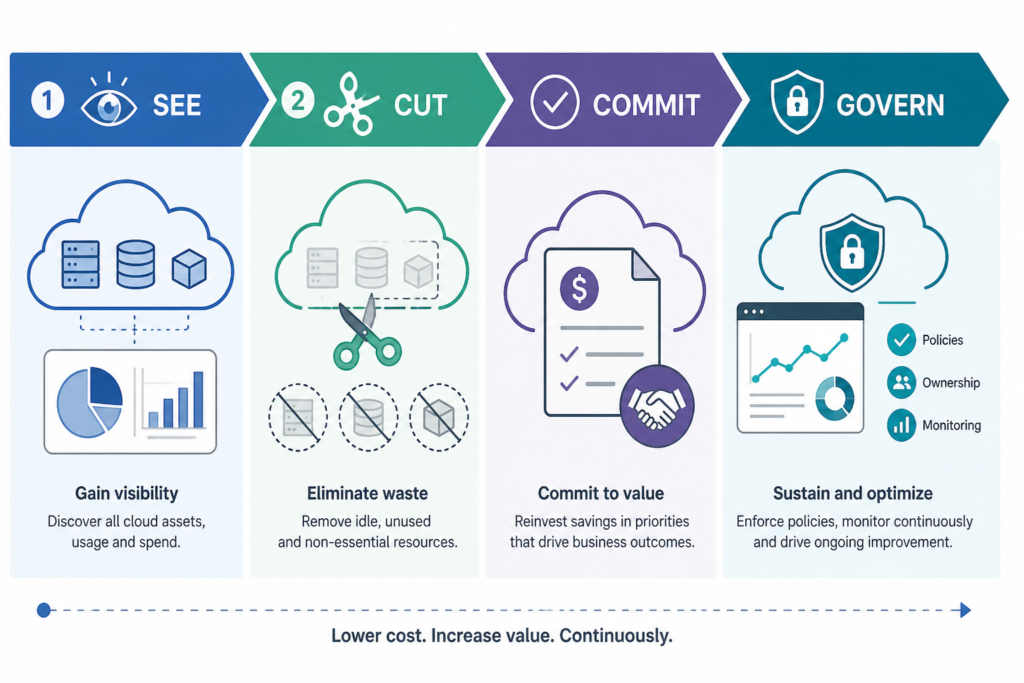
This checklist structures actions into four progressive phases: See, Cut, Commit, and Govern. Each action includes expected savings ranges and implementation steps drawn from real-world audits. It’s designed to outperform generic lists by being both tactical and outcome-focused.
How do I run the checklist?
- Start with visibility: pull cost data, identify top spend drivers, and establish a baseline.
- Execute quick-win cuts to recover immediate savings.
- Apply rate‑based savings through commitments and discounts.
- Lock in gains with tagging, budgets, anomaly alerts, and monthly reviews.
- Use the free downloadable PDF to share and track progress across your team.
Checklist details by phase
1. See – Make spend visible
- Enable cost reporting tools (Cost Explorer, Azure Cost Management, GCP Billing Export). ([leanopstech.com](https://leanopstech.com/blog/cloud-cost-optimization-checklist-2026/))
- Enforce consistent tags: environment, team, application in every resource. ([leanopstech.com](https://leanopstech.com/blog/cloud-cost-optimization-checklist-2026/))
- Identify top 5–10 cost drivers by service, region, usage type. ([reddit.com](https://www.reddit.com/r/Cloudvisor/comments/1r7nk8b/aws_cost_optimization_checklist_for_2026_notes/))
- Set a baseline billing period before changes—savings must be measurable. ([cloudcostroom.com](https://cloudcostroom.com/blog/the-google-cloud-cost-optimization-checklist-30-quick-wins))
2. Cut – Remove waste
- Delete unattached volumes, old snapshots, unused Elastic IPs, idle load balancers. ([wring.co](https://wring.co/blog/cloud-cost-optimization-checklist))
- Stop idle compute (VMs, RDS, dev/test instances outside business hours). ([cloudpipelines.com](https://cloudpipelines.com/guides/cloud-cost-optimization-checklist/))
- Rightsize VMs and database instances based on CPU/memory utilization (e.g. <20–40% CPU). ([cloudpipelines.com](https://cloudpipelines.com/guides/cloud-cost-optimization-checklist/))
- Apply storage tiering (e.g. S3 Intelligent‑Tiering, Glacier, Nearline/Coldline). ([wring.co](https://wring.co/blog/cloud-cost-optimization-checklist))
- Address cross-AZ egress and NAT gateway costs with architectural changes. ([advena.io](https://advena.io/blog/cloud-cost-optimization-checklist/))
- Switch to ARM/Graviton or newer generation instances for better price-performance. ([advena.io](https://advena.io/blog/cloud-cost-optimization-checklist/))
3. Commit – Secure rate-based savings
- Purchase Reserved Instances, Savings Plans, or committed use discounts aligned with cleaned baseline. Savings 30–60% typical. ([wring.co](https://wring.co/blog/cloud-cost-optimization-checklist))
- For stateless workloads, consider Spot Instances to capture up to 90% off compute cost. ([wring.co](https://wring.co/blog/cloud-cost-optimization-checklist))
- Match commitment terms with actual usage runway (1 vs. 3 years). ([cloudpipelines.com](https://cloudpipelines.com/guides/cloud-cost-optimization-checklist/))
4. Govern – Make savings durable
- Implement tagging for cost attribution and showback. ([cloudpipelines.com](https://cloudpipelines.com/guides/cloud-cost-optimization-checklist/))
- Set budgets and anomaly detection alerts to catch spend drift early. ([cloudpipelines.com](https://cloudpipelines.com/guides/cloud-cost-optimization-checklist/))
- Enforce policies: non-prod auto-shutdown, resource limits, guardrails per workload. ([learn.microsoft.com](https://learn.microsoft.com/en-us/azure/well-architected/cost-optimization/checklist))
- Schedule regular (monthly or quarterly) cost reviews to avoid drift. ([spendark.com](https://spendark.com/blog/cloud-cost-optimization-checklist/))
All these steps—and detailed implementation guidance—are included in the downloadable PDF you’ll get below.
Checklist summary table
| Phase | Actions | Expected Savings |
|---|---|---|
| See | Visibility, tagging, baseline | Enables accurate targeting |
| Cut | Cleanup idle resources, rightsizing, tiering | 10–40% immediate savings |
| Commit | Discount plans and spot instances | 30–60% on committed compute |
| Govern | Policies, budgets, reviews | Prevents re‑accrual of waste |
How to use this as a lead magnet
- Offer the PDF checklist download gated via email capture.
- In your download flow, prompt readers to schedule a cost review or join a workshop on cloud cost optimization.
- Link back to your pillar resource Cloud Cost Optimization Hub for readers who want deeper context on each area.
- Use checklist as a team audit tool—share internally, track progress against clear actions and savings estimates.
Frequently Asked Questions
What format is the checklist in?
It’s a gated PDF that mirrors this guide but includes checkbox interactivity and space for notes.
How much time will this take?
Quick‑win phase can be completed in hours, full audit through commit and governance phases typically takes weeks but yields sustained, measurable savings.
Which actions deliver the biggest impact?
Typically, rightsizing compute, applying storage tiering, and buying commitment discounts provide the largest savings, often 30–60% combined. ([leanopstech.com](https://leanopstech.com/blog/cloud-cost-optimization-checklist-2026/))
Can I apply this checklist across AWS, Azure, and GCP?
Yes. Most actions are provider‑agnostic, like deleting idle resources, scheduling non‑prod shutdowns, rightsizing, tiering storage, and applying commitments. Use native tooling per platform (e.g. Azure Advisor, GCP Recommender). ([learn.microsoft.com](https://learn.microsoft.com/en-us/azure/well-architected/cost-optimization/checklist))
How often should I run this checklist?
Monthly for quick‑wins, quarterly for deeper analysis, and ongoing enforcement via guardrails and automation to maintain savings. ([spendark.com](https://spendark.com/blog/cloud-cost-optimization-checklist/))
Get the checklist PDF now and start recovering real cloud savings today.